
JSOU Student Login: Enrolment Number, ABC ID and DEB ID
JSOU students can access their student portal at exam.jsou.ac.in/student/login using their Enrolment Number, Registration Number, Form Number, or registered Email address with password. Applicants can track admission applications at apply.jsou.ac.in.
- The official JSOU student examination login portal is hosted at exam.jsou.ac.in/student/login.
- Applicants can track their JSOU admission application at apply.jsou.ac.in using an Application Number or registered Email address.
- As of 02 October 2026, JSOU has not published specific procedures or portal fields for ABC ID or DEB ID registration.
- Students can contact the JSOU helpline at +91 9031 861 921 or email vco.jsou@gmail.com for login technical support.
In this guide
The essentials
| Student Login Portal | exam.jsou.ac.in/student/login |
|---|---|
| Accepted Student Usernames | Enrolment No., Registration No., Form No., or Email |
| Admission Application Portal | apply.jsou.ac.in |
| University Contact Email | vco.jsou@gmail.com |
| Helpline Phone Number | +91 9031 861 921 |
| JSOU Office Location | Kanke Road, Ranchi, Jharkhand |
How do I log into the JSOU student portal?
Enrolled distance learners use the JSOU student portal to submit examination forms, download admit cards, view term-end results, and access student services.
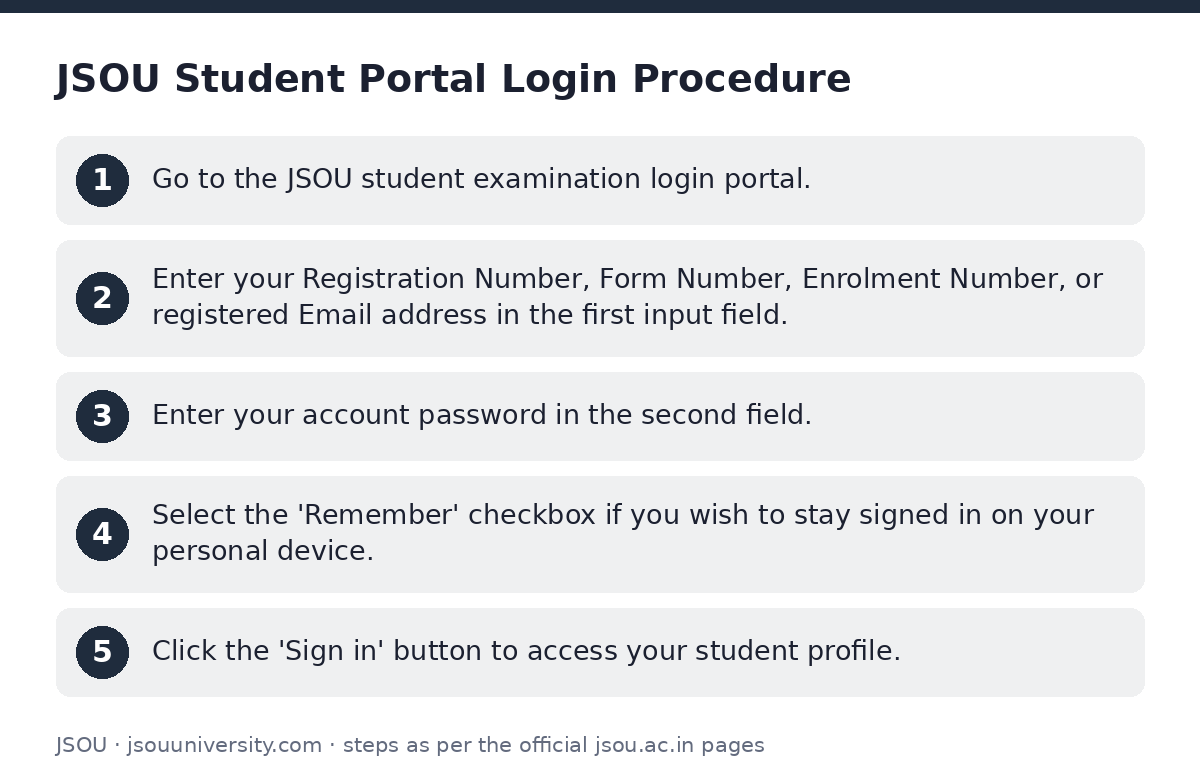
- Go to the JSOU student examination login portal.
- Enter your Registration Number, Form Number, Enrolment Number, or registered Email address in the first input field.
- Enter your account password in the second field.
- Select the ‘Remember’ checkbox if you wish to stay signed in on your personal device.
- Click the ‘Sign in’ button to access your student profile.
How do I sign in and track my JSOU admission application?
Prospective students who have initiated an online application for UG, PG, Diploma, or Certificate programmes can sign in to complete their form, upload documents, or check admission progress.
- Mobile number (for OTP verification)
- Aadhaar card
- Passport-size photograph and signature scan
- 10th and 12th marksheets/certificates
- Previous academic details
- Study centre preference
- Open the JSOU admission application portal.
- Click on ‘Track my application’ under the sign-in section.
- Enter your registered Application Number or Email address.
- Proceed to upload missing documents, complete pending sections, or monitor application approval.
What are the JSOU ABC ID and DEB ID guidelines?
Jharkhand State Open University is established by the Government of Jharkhand, recognised under Section 2(f) of the UGC Act 1956, and approved by the Distance Education Bureau (DEB). JSOU is also listed under the Academic Bank of Credits (ABC) framework.
JSOU has not published specific separate procedures or portal fields for ABC ID or DEB ID registration on its website as of 02 October 2026.
How do I resolve JSOU student portal login issues and grievances?
Students facing portal login errors, missing password details, or registration number discrepancies can contact the university directly or submit an online grievance.
- Go to the JSOU contact and grievance page.
- Enter your Student Name, Application Id, Email address, and Phone number.
- Select the relevant Subject and write your Grievance Message.
- Attach supporting documents or screenshots if required.
- Click ‘Submit’ or ‘Send Message’ to register your complaint.
JSOU Department Contact Details
| Department | Contact Official | Phone / Contact Info |
|---|---|---|
| Examination Department | Mr. Sudhansu Kumar | +91 9031 861 921 |
| Admission & Scholarship Department | Ms. Emilya Sirum Aind | +91 9031 861 921 |
| Registrar Secretariat | Mr. Shahid R. Khalifa | +91 9031 861 921 |
| General University Secretariat | JSOU Office, Ranchi | vco.jsou@gmail.com |
JSOU quick links
| What you can do | Official page |
|---|---|
| Access JSOU student examination portal | exam.jsou.ac.in/student/login |
| Track online JSOU admission application | apply.jsou.ac.in/ |
| Submit student grievance for login assistance | jsou.ac.in/contact-us/ |
Frequently asked questions
How can students log into the Jharkhand State Open University (JSOU) student portal?
Students can log in by opening the JSOU student login page and entering their Enrolment Number, Registration Number, Form Number, or registered Email address, along with their password. Click ‘Sign in’ to proceed.
What details are needed to sign in and track a JSOU admission application?
Applicants can sign in on the JSOU admission portal using their Application Number or registered Email address to track their application or complete an unfinished form.
Where is the JSOU student login portal hosted?
The official student portal for examinations, forms, and results is hosted at exam.jsou.ac.in/student/login.
Who should students contact if they face login issues at JSOU?
Students can contact the JSOU Examination Department or send a message via the JSOU student grievance form. They can also email vco.jsou@gmail.com or call +91 9031 861 921.
Has JSOU published instructions for ABC ID or DEB ID creation?
JSOU is UGC-DEB recognised and part of the Academic Bank of Credits (ABC) framework. However, JSOU has not published specific portal rules or user steps for ABC ID or DEB ID registration as of 02 October 2026.
What are the official working hours of the JSOU student helpline in Ranchi?
The JSOU administrative office operates Monday through Saturday from 10:00 AM to 5:00 PM. It is closed on Sundays.